> ## Documentation Index
> Fetch the complete documentation index at: https://docs.z.ai/llms.txt
> Use this file to discover all available pages before exploring further.
# CogView-4
## Overview
CogView-4 is Z.AI’s first open-source text-to-image model. It has comprehensive improvements in semantic understanding, image generation quality, and the ability to generate both English and Chinese text. It supports bilingual input of any length in Chinese and English and can generate images of any resolution within a specified range.
\$0.01 / image
Text
Image
## Usage
Generates visually appealing, detailed, and realistic food images based on dish names, ingredient characteristics, and style requirements, incorporating creative text elements. Suitable for menu design, food delivery platform displays, and offline posters.
Quickly generates high-resolution product display images based on product features and selling points, adding bilingual promotional text as needed. Fits the image requirements for different product pages and campaign visuals on e-commerce platforms.
Produces high-resolution, detailed character illustrations and concept art based on game worldviews and character settings, meeting the needs of multi-resolution production.
Analyzes teaching text content and automatically generates matching illustrations and scene images, adapted to the layout and resolution requirements of various educational materials, enhancing the visualization of knowledge.
Generates promotional images in different sizes based on cultural and tourism themes, skillfully combining text with region-specific visual elements to increase the appeal of cultural and tourism marketing.
## Resources
* [API Documentation](/api-reference/image/generate-image): Learn how to call the API.
## Introducting CogView-4
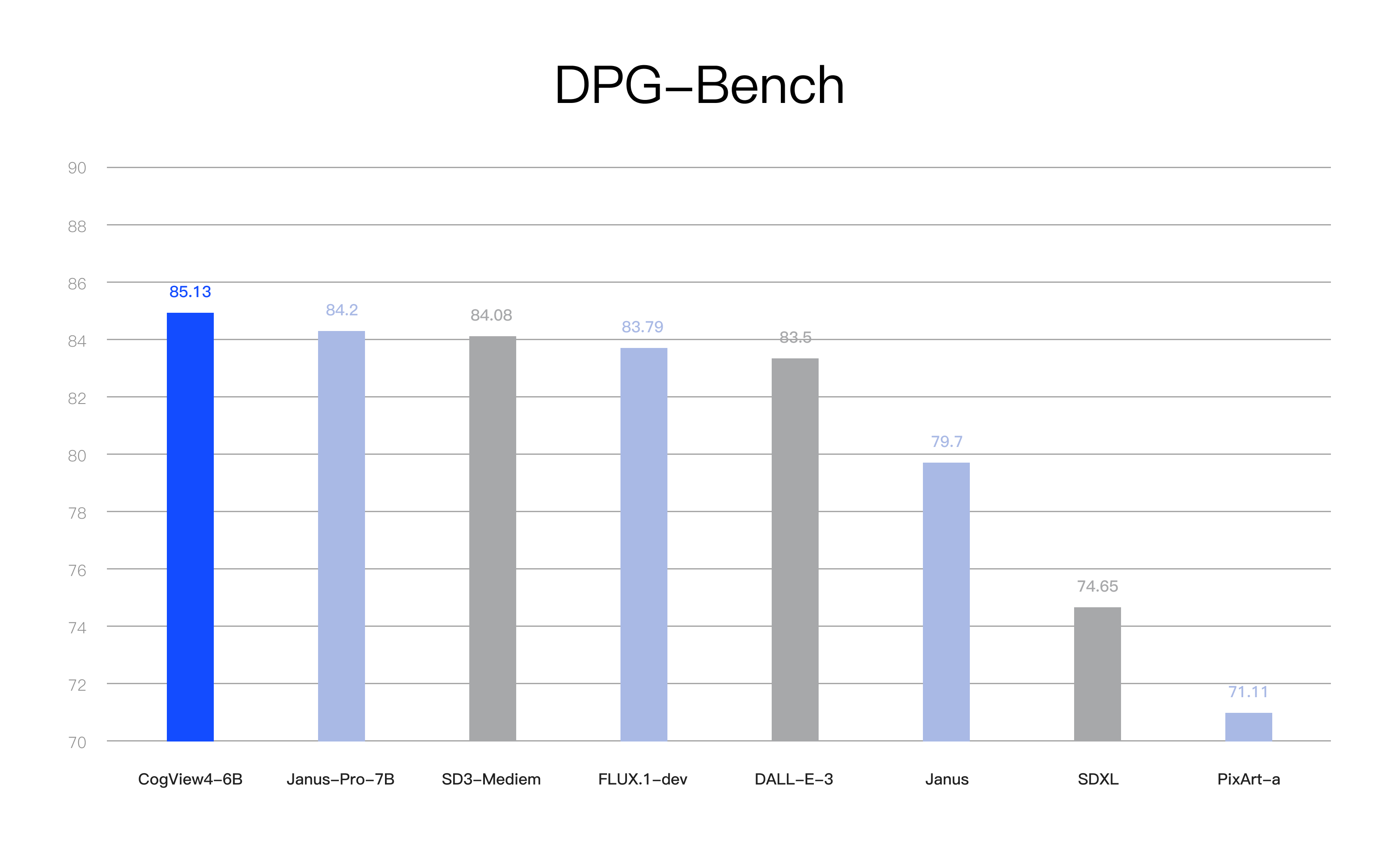
DPG-Bench (Dense Prompt Graph Benchmark) is a benchmark for evaluating text-to-image generation models, focusing on the model’s performance in complex semantic alignment and instruction following.
At the time of release, CogView-4 ranked first overall in the DPG-Bench benchmark test, achieving SOTA performance among open-source text-to-image models.
Technically, CogView-4 replaced the English-only T5 encoder with the bilingual GLM-4 encoder and trained the model using bilingual image-text data, enabling the model to handle bilingual prompts.
CogView-4 supports Chinese and English prompts and is especially good at understanding and following Chinese prompts, greatly lowering the prompt threshold for users. It is the first open-source text-to-image model capable of generating Chinese characters in the images, making it particularly suitable for creative needs in advertising, short videos, and other fields.
CogView-4 implements a mixed training paradigm of text descriptions (captions) of any length and images of any resolution. The model supports input prompts of any length and can generate images at any resolution within the supported range. This not only provides users with more creative freedom but also improves training efficiency.
## Examples
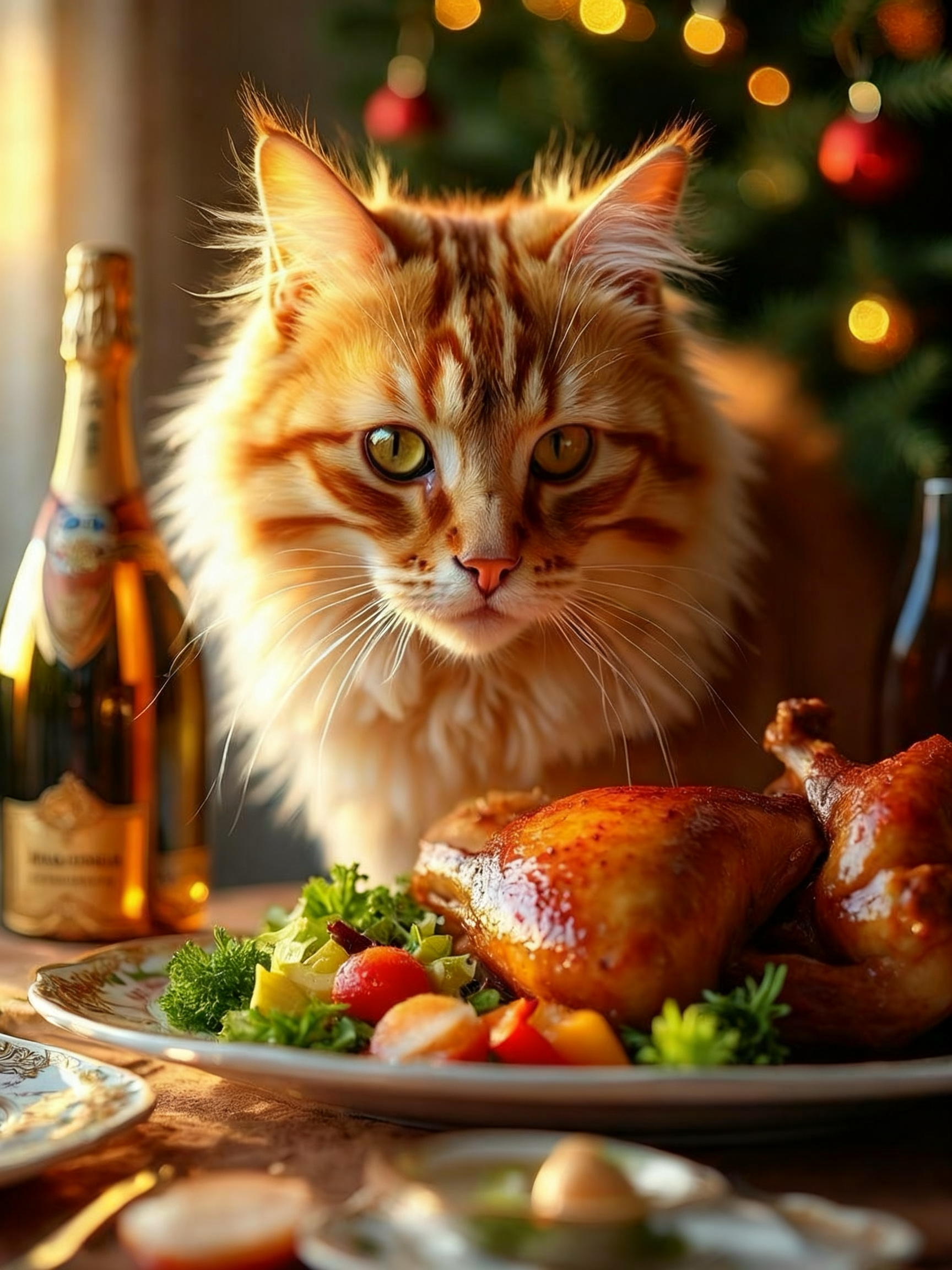
Close-up, commercial food photography, intense indoor lighting, extreme detail. A Christmas dinner table, a corner of the table where a long-haired orange tabby cat leans its head close to a plate, greedily sniffing the festive feast with an expression of pure delight. The table features roast chicken, plants, salad, champagne, and gold-rimmed porcelain tea sets. Afternoon sunlight bathes the cat's profile in golden light, casting a soft glow over both the food and its fur. A Christmas tree adorns the background. The image emphasizes the texture of the food and the cat's coat, featuring strong lighting and a warm, festive Christmas atmosphere.
 Two opaque, non-reflective white milk tea cups are adorned with intricate golden patterns of varying sizes. The designs feature Christmas motifs, including reindeer and pine trees, set against a warm red background and twinkling holiday lights. Displayed within a miniature snow scene, they are illuminated by natural light.
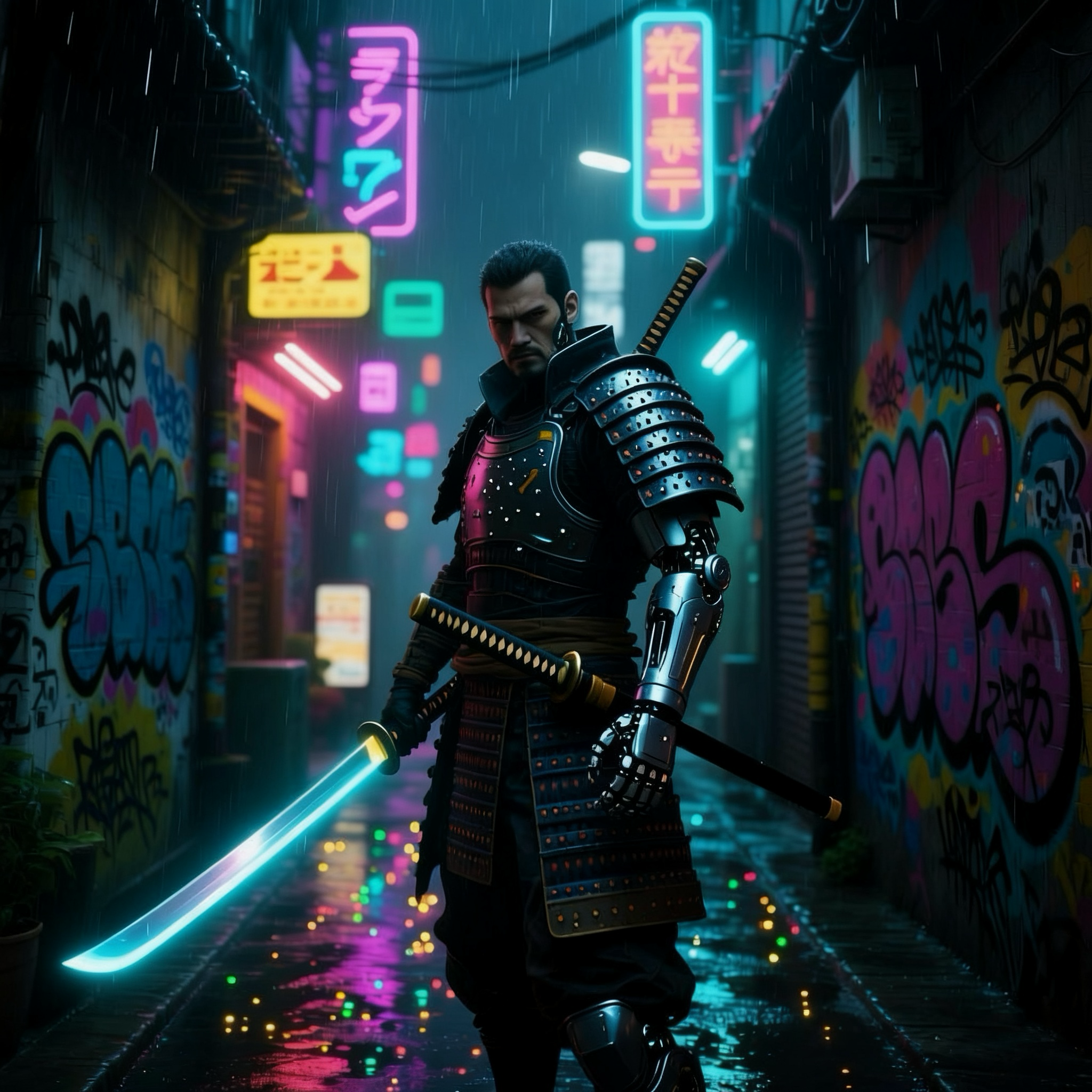
 Cyberpunk samurai with a glowing katana and a robotic arm, standing in a neon-lit alley in Tokyo, rain reflecting on the wet pavement, Blade Runner aesthetic, cinematic, highly detailed, volumetric lighting -- ar 2:3.
 The dazzling nightscape of Victoria Harbour in Hong Kong employs double exposure techniques to seamlessly blend the bustling city skyline with spectacular fireworks. Multiple fireworks burst across the night sky, forming a massive heart shape perfectly superimposed at the center of the frame. The fireworks display a kaleidoscope of colors—gold, red, blue, and purple intertwine, illuminating the entire night sky. City lights twinkle in the background, with skyscraper silhouettes clearly visible. Neon lights along the streets accentuate the city's vibrant energy. The entire scene exudes a dreamlike and romantic atmosphere, immersing the viewer in the dazzling nightscape of Hong Kong.
 ## Quick Start
```
curl --request POST \
--url https://api.z.ai/api/paas/v4/images/generations \
--header 'Authorization: Bearer ' \
--header 'Content-Type: application/json' \
--data '{
"model": "cogView-4-250304",
"prompt": "A cute little kitten sitting on a sunny windowsill, with the background of blue sky and white clouds.",
"size": "1024x1024"
}'
```
**Install SDK**
```bash theme={null}
# Install latest version
pip install zai-sdk
# Or specify version
pip install zai-sdk==0.2.3
```
**Verify Installation**
```python theme={null}
import zai
print(zai.__version__)
```
**Call Example**
```python theme={null}
from zai import ZaiClient
client = ZaiClient(api_key="your-api-key")
response = client.images.generations(
model="cogView-4-250304",
prompt="A cute little kitten sitting on a sunny windowsill, with the background of blue sky and white clouds.",
)
print(response.data[0].url)
```
**Install SDK**
**Maven**
```xml theme={null}
ai.z.openapi
zai-sdk
0.3.5
```
**Gradle (Groovy)**
```groovy theme={null}
implementation 'ai.z.openapi:zai-sdk:0.3.5'
```
**Call Example**
```java theme={null}
import ai.z.openapi.ZaiClient;
import ai.z.openapi.core.Constants;
import ai.z.openapi.service.image.CreateImageRequest;
import ai.z.openapi.service.image.ImageResponse;
public class CogView4Example {
public static void main(String[] args) {
ZaiClient client = ZaiClient.builder().ofZAI().apiKey("YOUR_API_KEY").build();
// Create image generation request
CreateImageRequest request = CreateImageRequest.builder()
.model(Constants.ModelCogView4250304)
.prompt("A cute little kitten sitting on a sunny windowsill, with the background of blue sky and white clouds.")
.size("1024x1024")
.build();
ImageResponse response = client.images().createImage(request);
System.out.println(response.getData());
}
}
```
Please note that the output of the CogView-4 model is an image URL. You will need to download the image using this URL.
## Quick Start
```
curl --request POST \
--url https://api.z.ai/api/paas/v4/images/generations \
--header 'Authorization: Bearer ' \
--header 'Content-Type: application/json' \
--data '{
"model": "cogView-4-250304",
"prompt": "A cute little kitten sitting on a sunny windowsill, with the background of blue sky and white clouds.",
"size": "1024x1024"
}'
```
**Install SDK**
```bash theme={null}
# Install latest version
pip install zai-sdk
# Or specify version
pip install zai-sdk==0.2.3
```
**Verify Installation**
```python theme={null}
import zai
print(zai.__version__)
```
**Call Example**
```python theme={null}
from zai import ZaiClient
client = ZaiClient(api_key="your-api-key")
response = client.images.generations(
model="cogView-4-250304",
prompt="A cute little kitten sitting on a sunny windowsill, with the background of blue sky and white clouds.",
)
print(response.data[0].url)
```
**Install SDK**
**Maven**
```xml theme={null}
ai.z.openapi
zai-sdk
0.3.5
```
**Gradle (Groovy)**
```groovy theme={null}
implementation 'ai.z.openapi:zai-sdk:0.3.5'
```
**Call Example**
```java theme={null}
import ai.z.openapi.ZaiClient;
import ai.z.openapi.core.Constants;
import ai.z.openapi.service.image.CreateImageRequest;
import ai.z.openapi.service.image.ImageResponse;
public class CogView4Example {
public static void main(String[] args) {
ZaiClient client = ZaiClient.builder().ofZAI().apiKey("YOUR_API_KEY").build();
// Create image generation request
CreateImageRequest request = CreateImageRequest.builder()
.model(Constants.ModelCogView4250304)
.prompt("A cute little kitten sitting on a sunny windowsill, with the background of blue sky and white clouds.")
.size("1024x1024")
.build();
ImageResponse response = client.images().createImage(request);
System.out.println(response.getData());
}
}
```
Please note that the output of the CogView-4 model is an image URL. You will need to download the image using this URL.