> ## Documentation Index
> Fetch the complete documentation index at: https://docs.z.ai/llms.txt
> Use this file to discover all available pages before exploring further.
# GLM-OCR
## Overview
GLM-OCR is a lightweight professional OCR model with parameters as small as 0.9B, yet it achieves state-of-the-art performance across multiple capabilities. It sets a new benchmark for document parsing with its “small size and high accuracy.” Key features include:
* **Performance SOTA**: Scored 94.62 points to top OmniDocBench V1.5 and achieved current best performance across **multiple mainstream document understanding benchmarks** including tables and formulas at launch.
* **Optimized for Real-World Scenarios**: Delivers stable, leading accuracy in complex environments like code documentation, intricate tables, and stamp recognition. Maintains exceptional recognition precision even with complex layouts, diverse fonts, or mixed text-image content.
* **Efficient and Cost-Effective**: With just 0.9B parameters, supports VLLM and SGLang deployment, significantly reducing inference latency and computational overhead.
- PDF, images (JPG, PNG)
- Single image ≤ 10MB, PDF ≤ 50MB
- Maximum support: 100 pages
Text / Image Links / MD Documents
Support Chinese, English, French, Spanish, Russian, German, Japanese, Korean, etc.
For detailed pricing information on GLM-OCR, please visit the [Pricing Page](/guides/overview/pricing).
## Usage
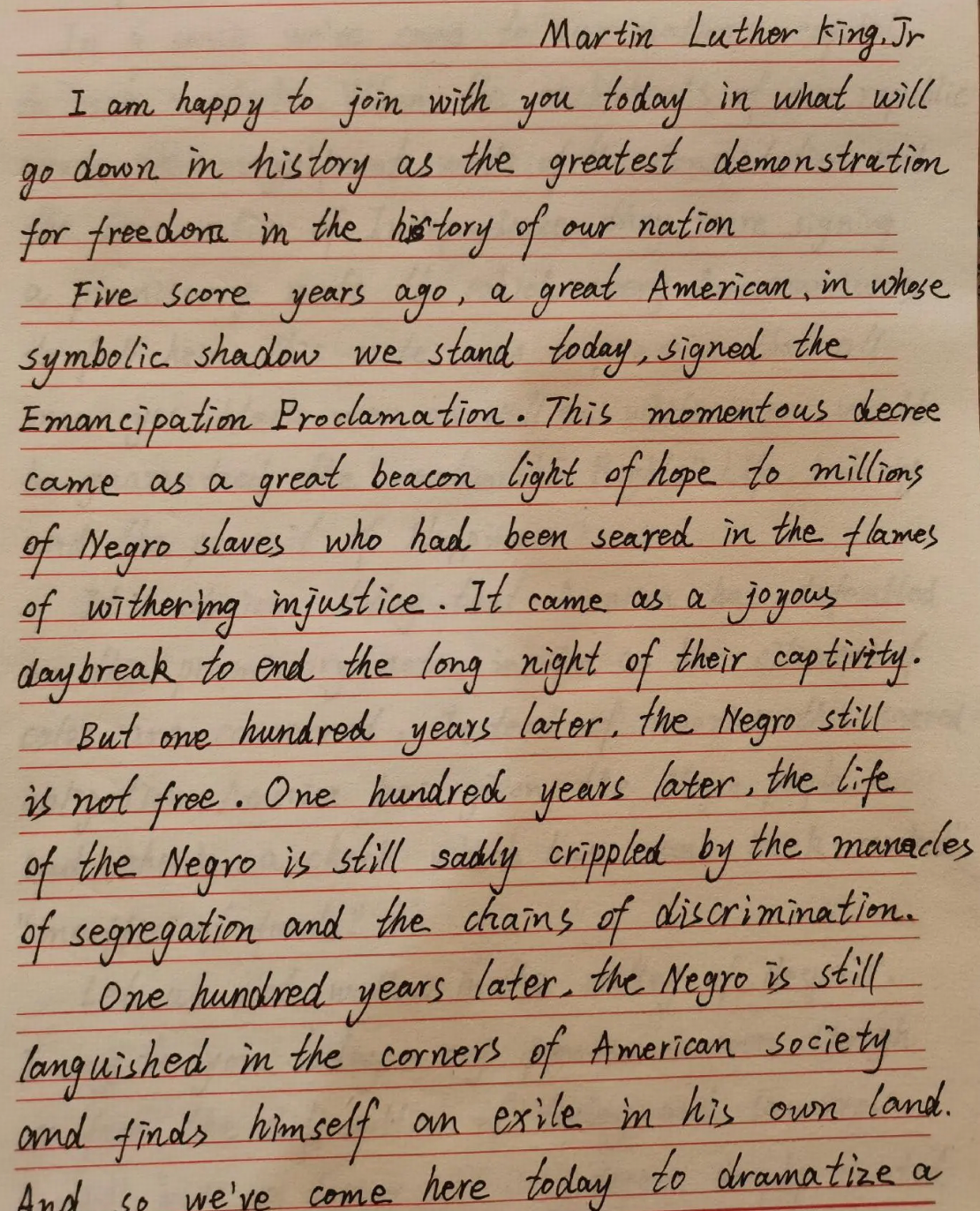
Recognize text content from photos, screenshots, documents, and scans, supporting printed text, handwriting, and mathematical formulas. Applicable to diverse scenarios including education, research, and office work.
Identify table structures and content, converting them into HTML-formatted sequences. Suitable for scenarios involving table data entry, conversion, and editing.
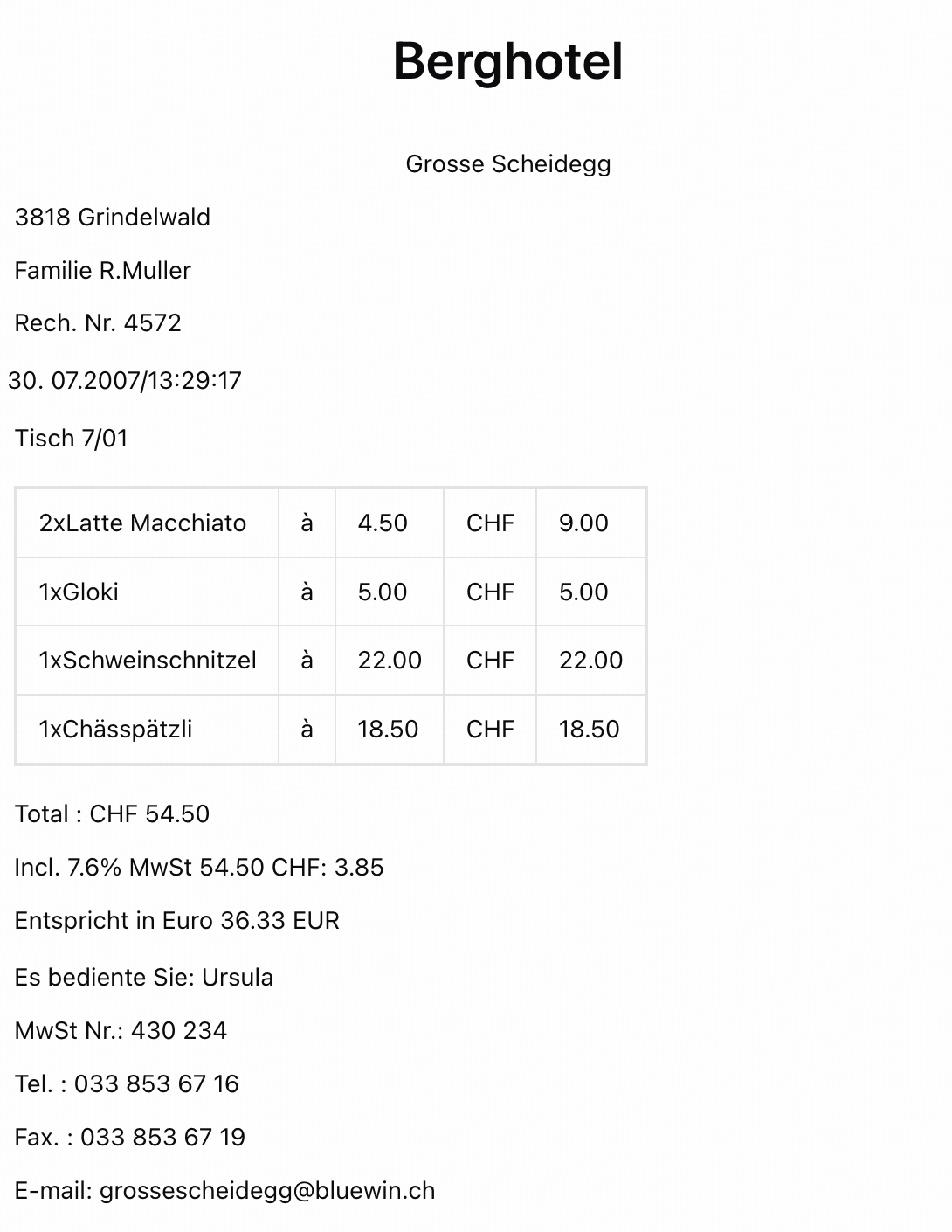
Extract key information from various cards, certificates, receipts, and forms, outputting structured JSON data. Supports applications in banking, insurance, government services, legal, logistics, and other industries.
Support high-volume document recognition and parsing with high accuracy and standardized output formats, providing a robust foundation for RAG.
## Resources
* [API Documentation](/api-reference/tools/layout-parsing): Learn how to call the API.
## Introducing GLM-OCR
Thanks to its proprietary CogViT visual encoder and deep scene optimization, GLM-OCR achieves “compact size, high accuracy.”
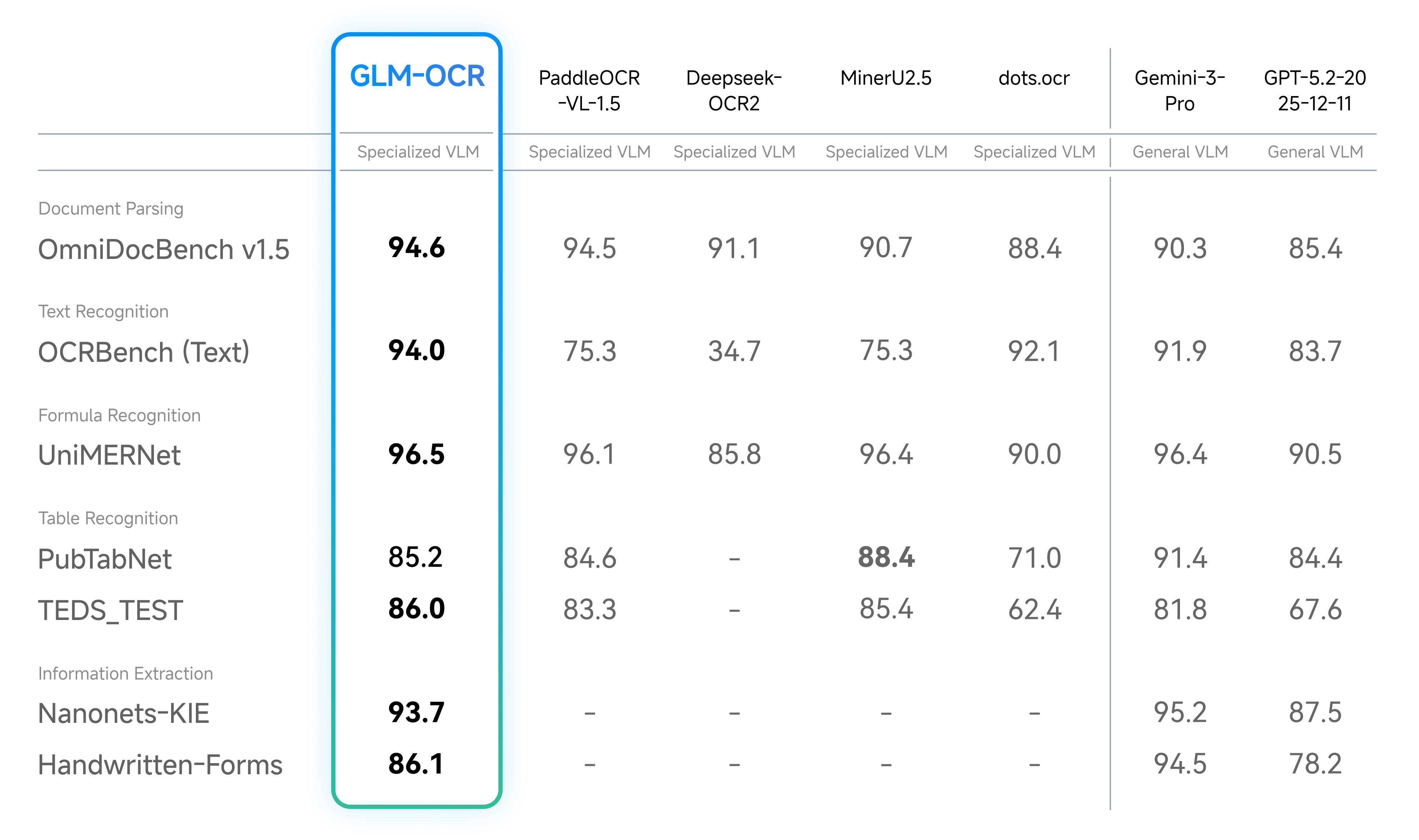
With only 0.9B parameters, GLM-OCR achieved SOTA on the authoritative document parsing benchmark OmniDocBench V1.5 with a score of 94.6. It outperforms multiple specialized OCR models across four key domains—text, formula, table recognition, and information extraction—with performance approaching that of Gemini-3-Pro.
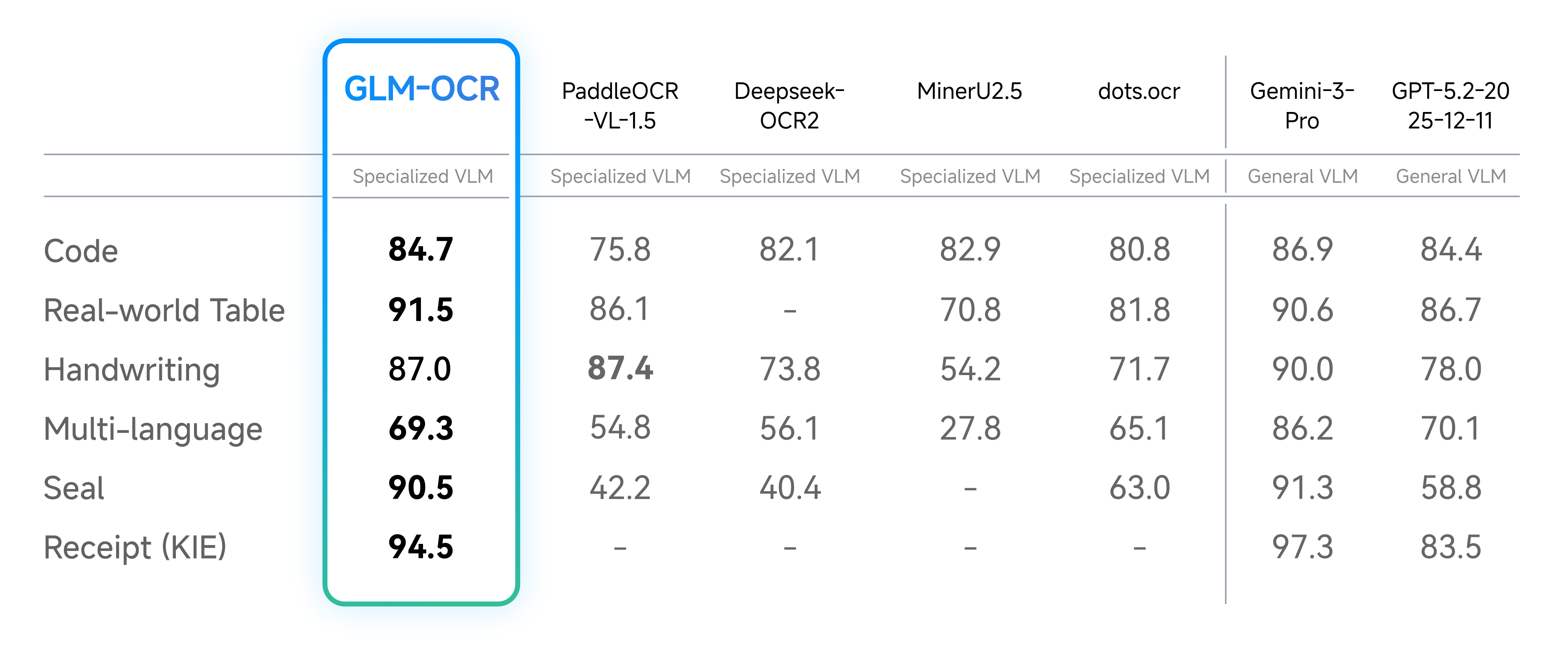
Beyond public benchmarks, we conducted internal evaluations across six core real-world scenarios. Results show GLM-OCR delivers significant advantages across dimensions including code documentation, real-world tables, handwriting, multilingual text, seal recognition, and invoice extraction.
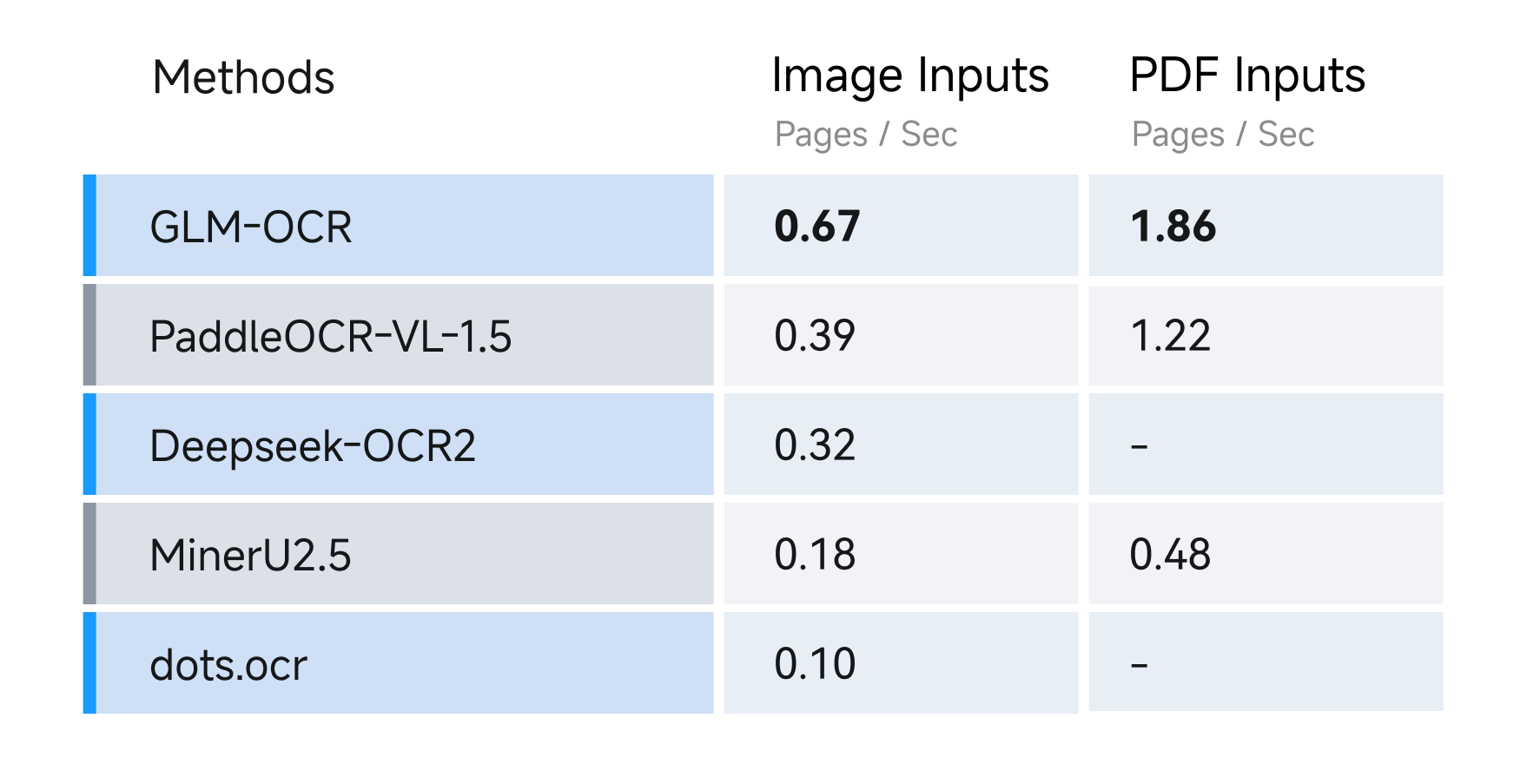
For speed, we compared different OCR methods under identical hardware and testing conditions (single replica, single concurrency), evaluating their performance in parsing and exporting Markdown files from both image and PDF inputs. Results show GLM-OCR achieves a throughput of 1.86 pages/second for PDF documents and 0.67 images/second for images, significantly outperforming comparable models.
Pricing is uniform for both API input and output, costing just \$0.03 per million tokens.
## Examples
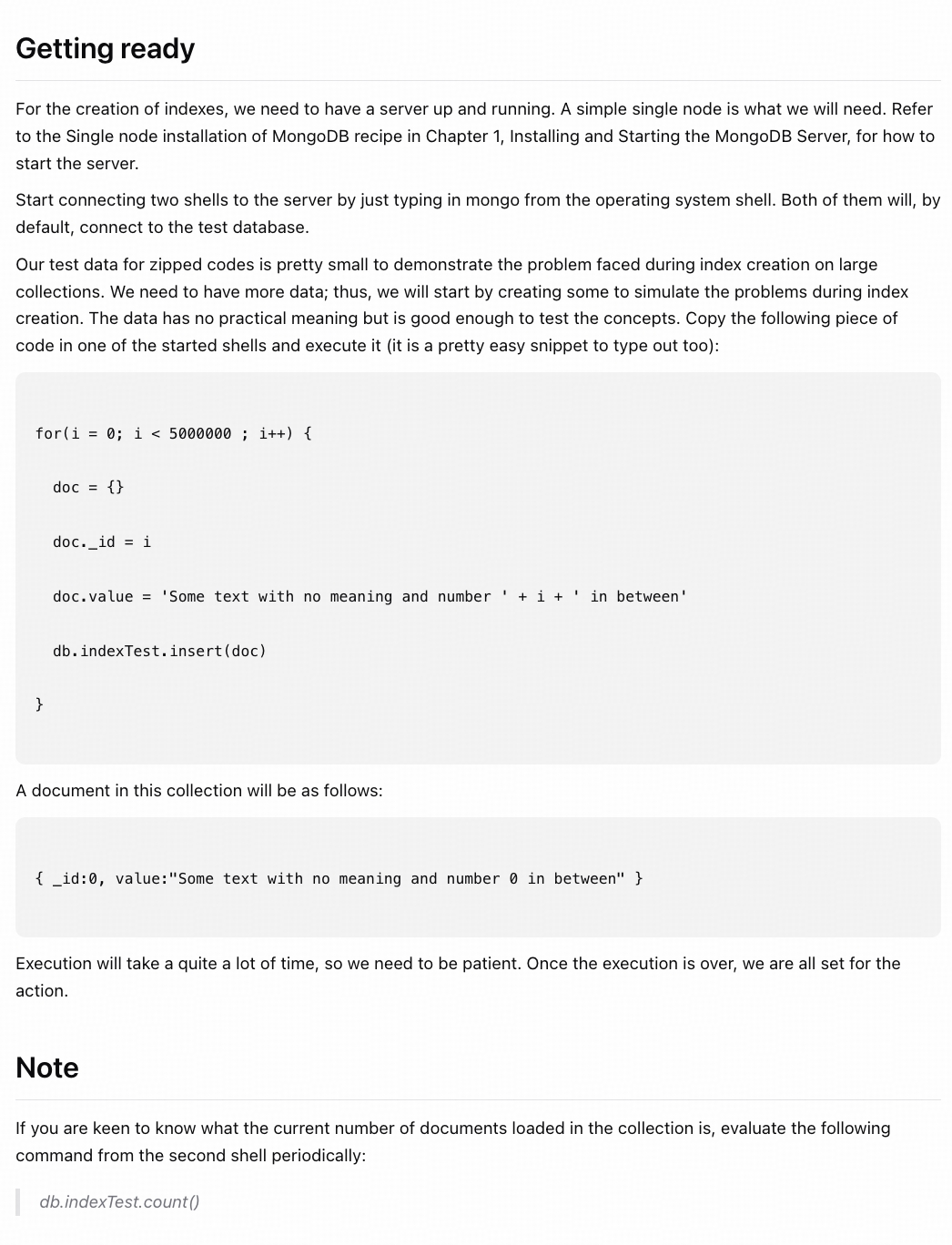
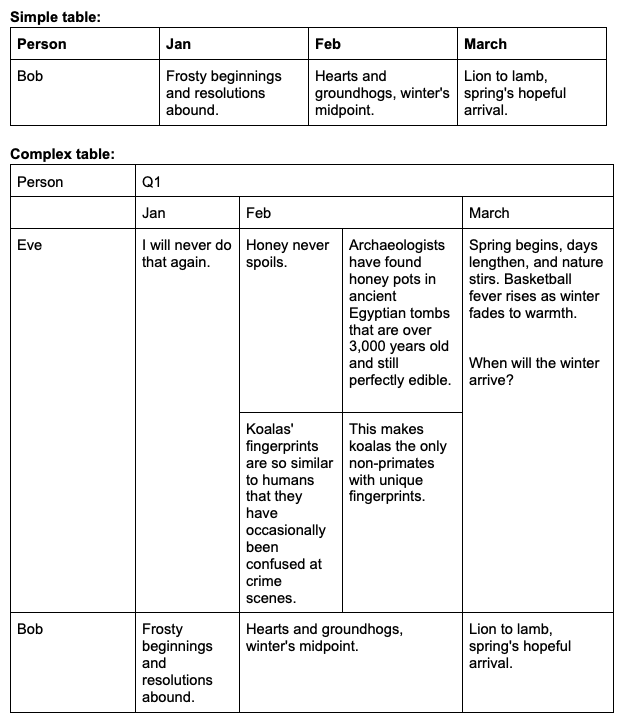
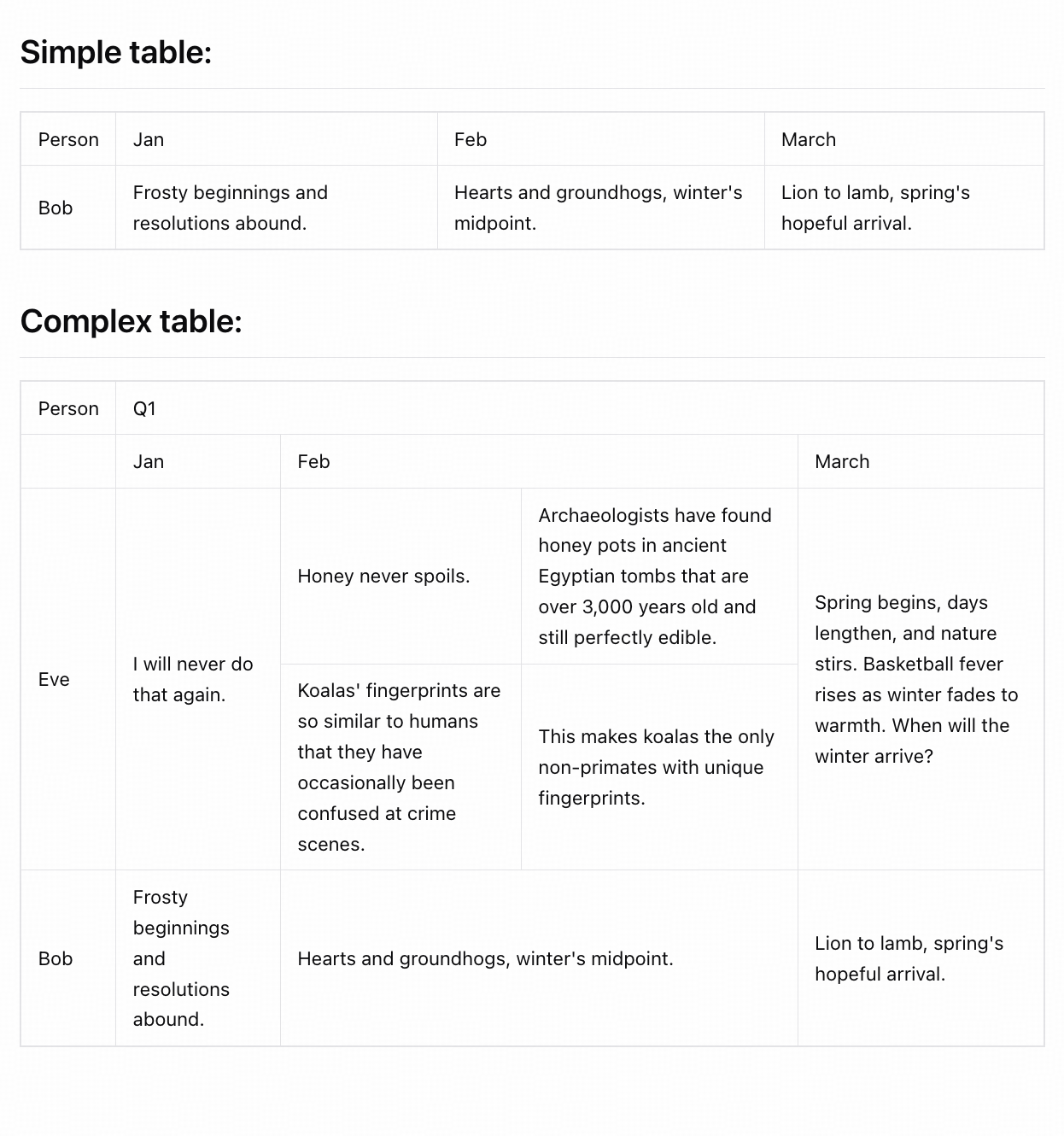
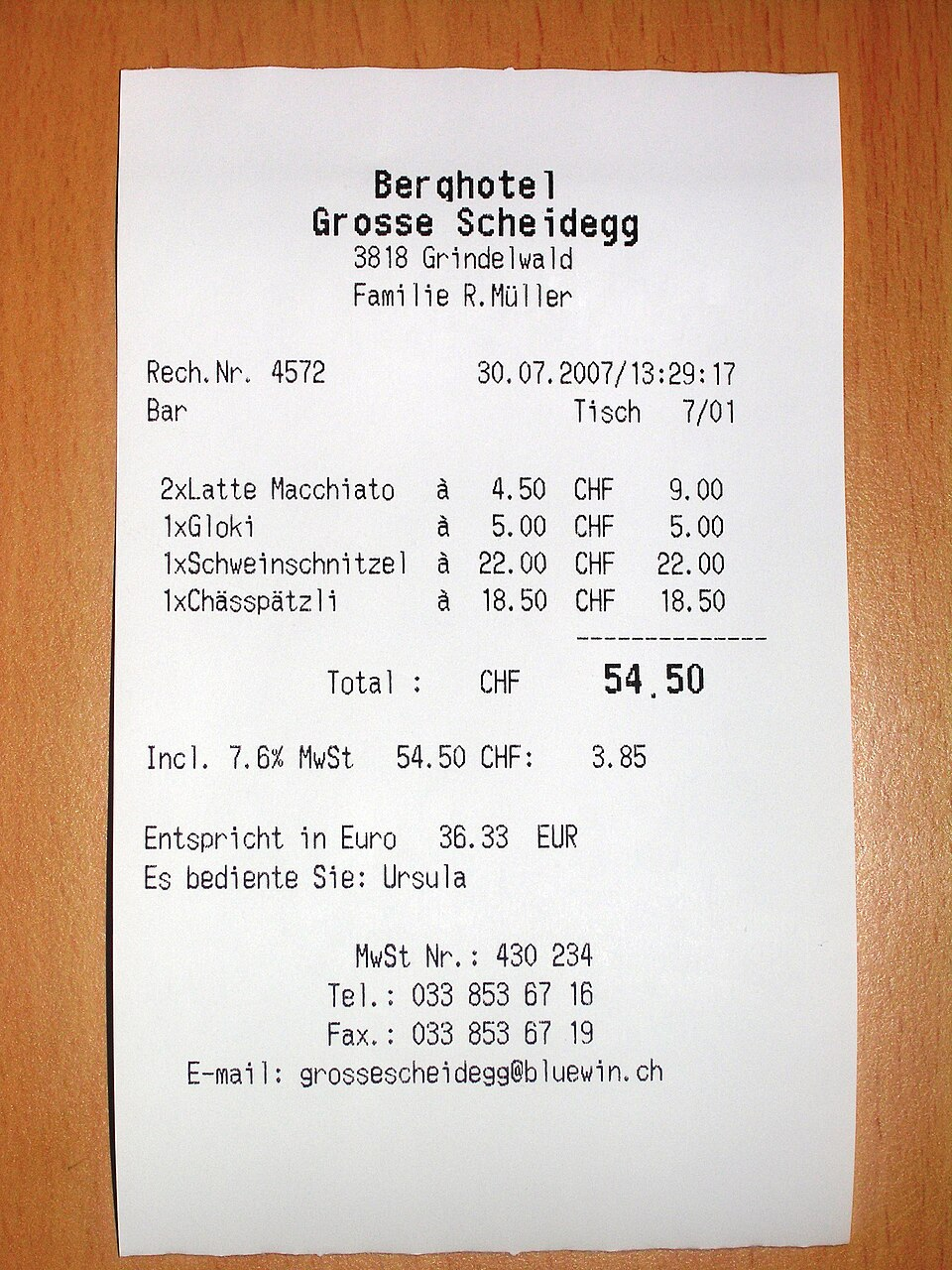

## Quick Start
```bash theme={null}
curl --location --request POST 'https://api.z.ai/api/paas/v4/layout_parsing' \
--header 'Authorization: Bearer your-api-key' \
--header 'Content-Type: application/json' \
--data-raw '{
"model": "glm-ocr",
"file": "https://cdn.bigmodel.cn/static/logo/introduction.png"
}'
```
**Install SDK**
```bash theme={null}
# Install the latest version
pip install zai-sdk
# Or specify a version
pip install zai-sdk==0.2.3
```
**Verify installation**
```python theme={null}
import zai
print(zai.__version__)
```
**Basic Call**
```python theme={null}
from zai import ZaiClient
# Initialize client
client = ZaiClient(api_key="your-api-key")
image_url = "https://cdn.bigmodel.cn/static/logo/introduction.png"
# Call layout parsing API
response = client.layout_parsing.create(
model="glm-ocr",
file=image_url
)
# Output result
print(response)
```
**Install SDK**
**Maven**
```xml theme={null}
ai.z.openapi
zai-sdk
0.3.5
```
**Gradle (Groovy)**
```groovy theme={null}
implementation 'ai.z.openapi:zai-sdk:0.3.5'
```
**Basic Call**
```java theme={null}
import ai.z.openapi.ZaiClient;
import ai.z.openapi.service.layoutparsing.LayoutParsingCreateParams;
import ai.z.openapi.service.layoutparsing.LayoutParsingResponse;
import ai.z.openapi.service.layoutparsing.LayoutParsingResult;
public class LayoutParsing {
public static void main(String[] args) {
// Initialize client
ZaiClient client = ZaiClient.builder()
.ofZAI()
.apiKey("your-api-key")
.build();
String model = "glm-ocr";
String file = "https://cdn.bigmodel.cn/static/logo/introduction.png";
// Create layout parsing request
LayoutParsingCreateParams params = LayoutParsingCreateParams.builder()
.model(model)
.file(file)
.build();
// Send request
LayoutParsingResponse response = client.layoutParsing().layoutParsing(params);
// Handle response
if (response.isSuccess()) {
System.out.println("Parsing result: " + response.getData());
} else {
System.err.println("Error: " + response.getMsg());
}
}
}
```