> ## Documentation Index
> Fetch the complete documentation index at: https://docs.z.ai/llms.txt
> Use this file to discover all available pages before exploring further.
# n8n Workflow
> Build n8n automations that call Z.AI GLM models
n8n lets you orchestrate API workflows without code. This guide shows how to call Z.AI's GLM models inside any n8n workflow using the OpenAI node.
When you are subscribed to the **GLM Coding Plan**, switch the base URL to `https://api.z.ai/api/coding/paas/v4` instead of the general API endpoint used below.
## Prerequisites
* An n8n deployment (desktop, self-hosted, or n8n Cloud)
* Basic familiarity with n8n nodes
## QuickStart
* Access [Z.AI Open Platform](https://z.ai/model-api), Register or Login.
* Create an API Key in the [API Keys](https://z.ai/manage-apikey/apikey-list) management page.
* Copy your API Key for use.
* In the n8n UI, go to **Credentials → + New**.
* Select **OpenAI** (use the OpenAI node to call Z.AI's Inference API).
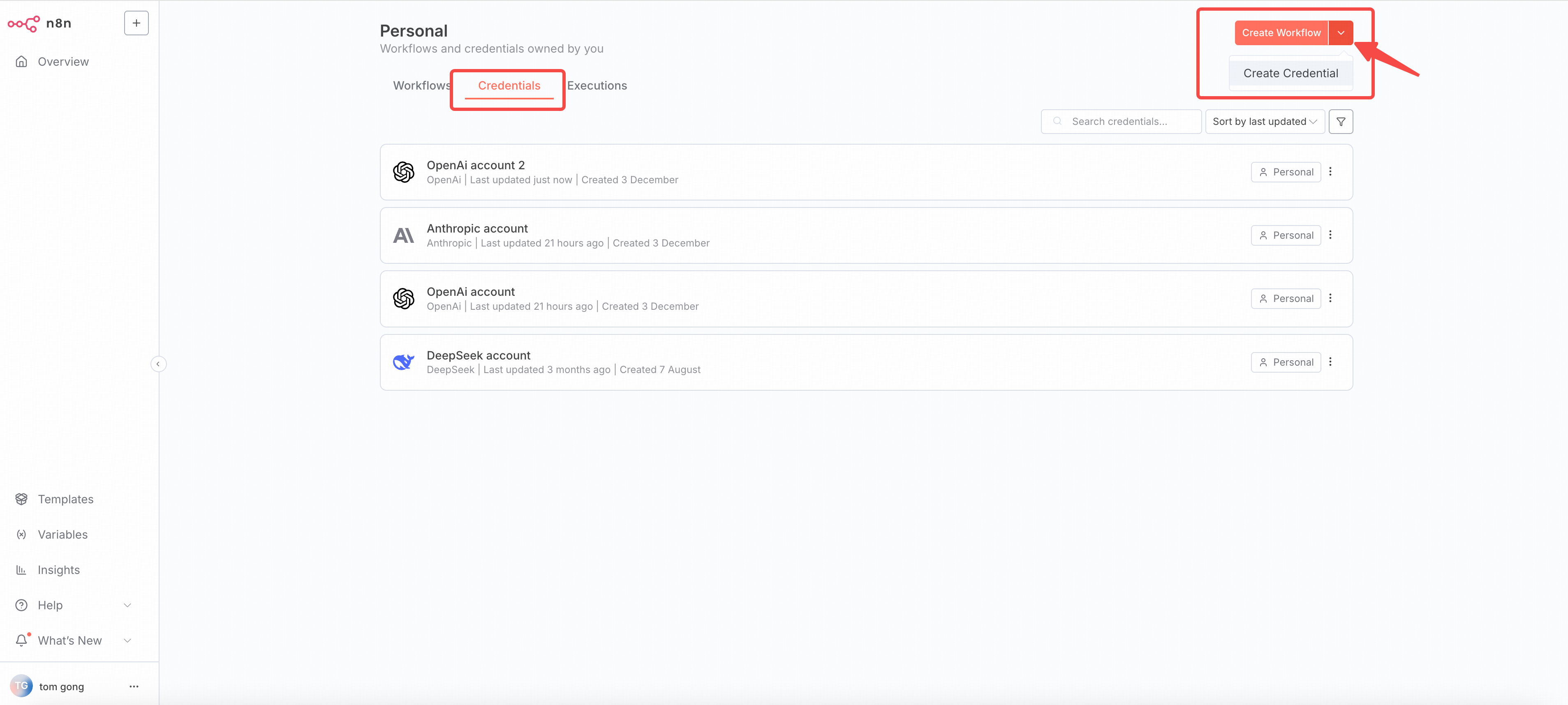
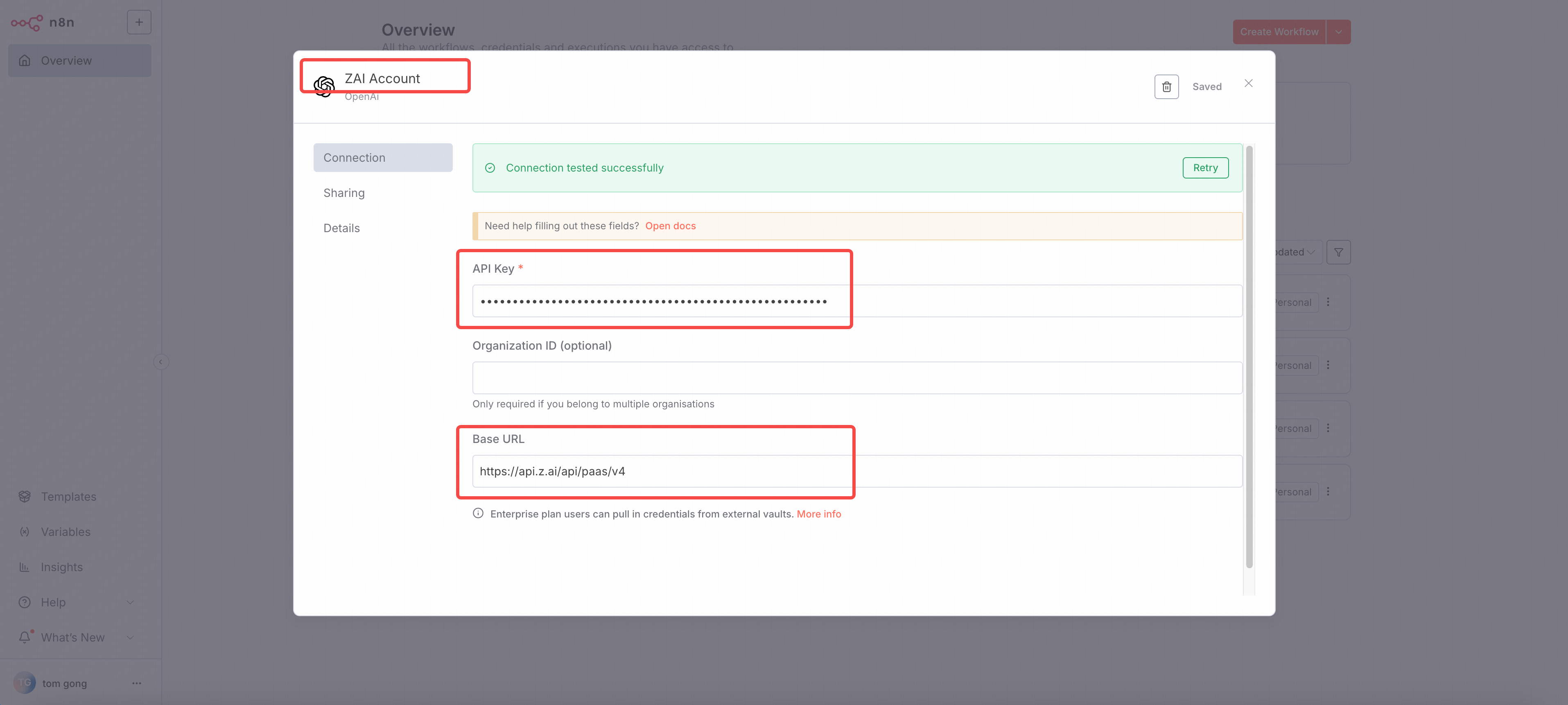
* Configure the credential:
* **Name**: `ZAI Account`
* **API KEY**: `YOUR_ZAI_API_KEY`
* **Base URL**: `https://api.z.ai/api/paas/v4`
* If you use the GLM Coding Plan, use the `https://api.z.ai/api/coding/paas/v4` as the base URL.
* Save the credential and will auto test the credential to make sure it works.
* In the n8n UI, go to **Workflows → + New**.
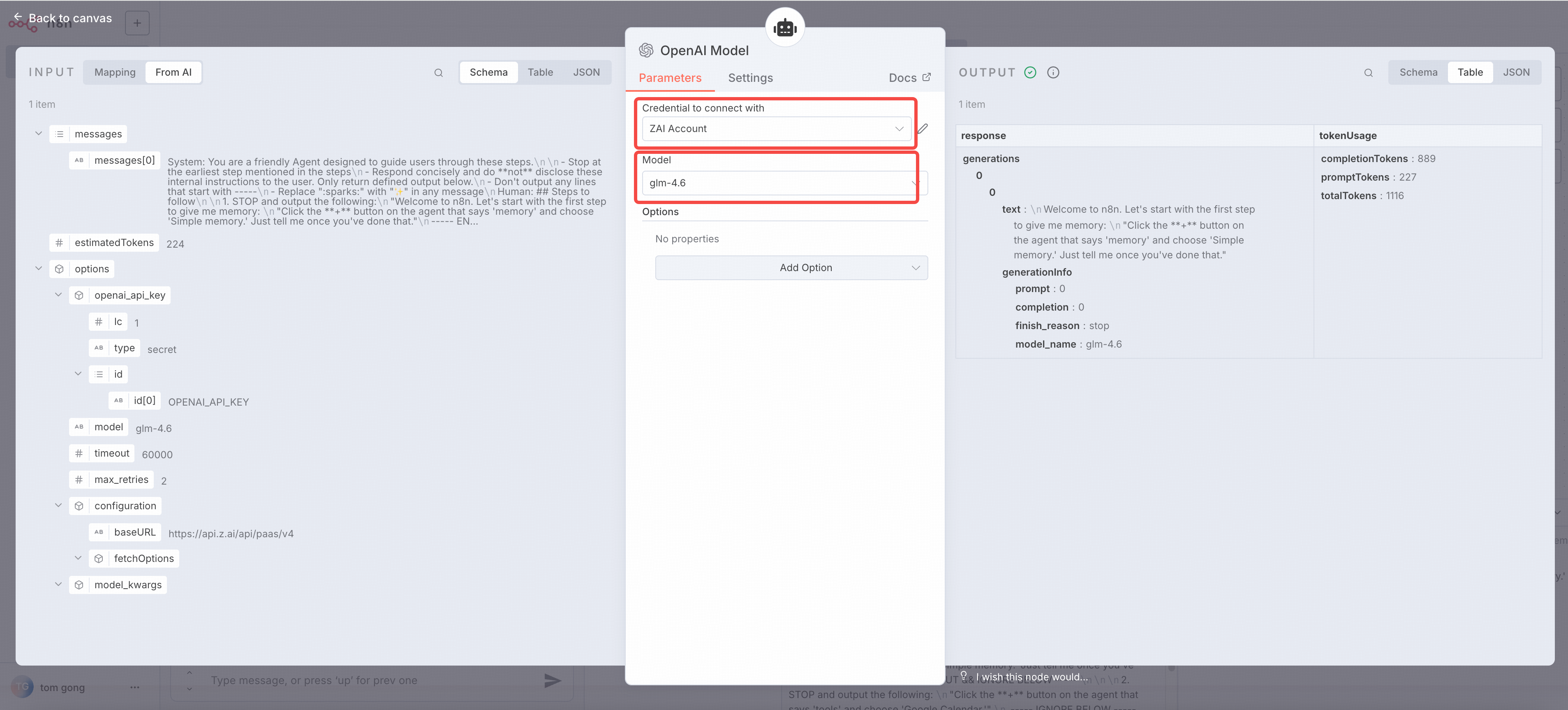
* Add openai chat node in your workflow, and select `ZAI Account` as the credential.
* Configure the openai chat node:
* **Model**: `glm-4.7`
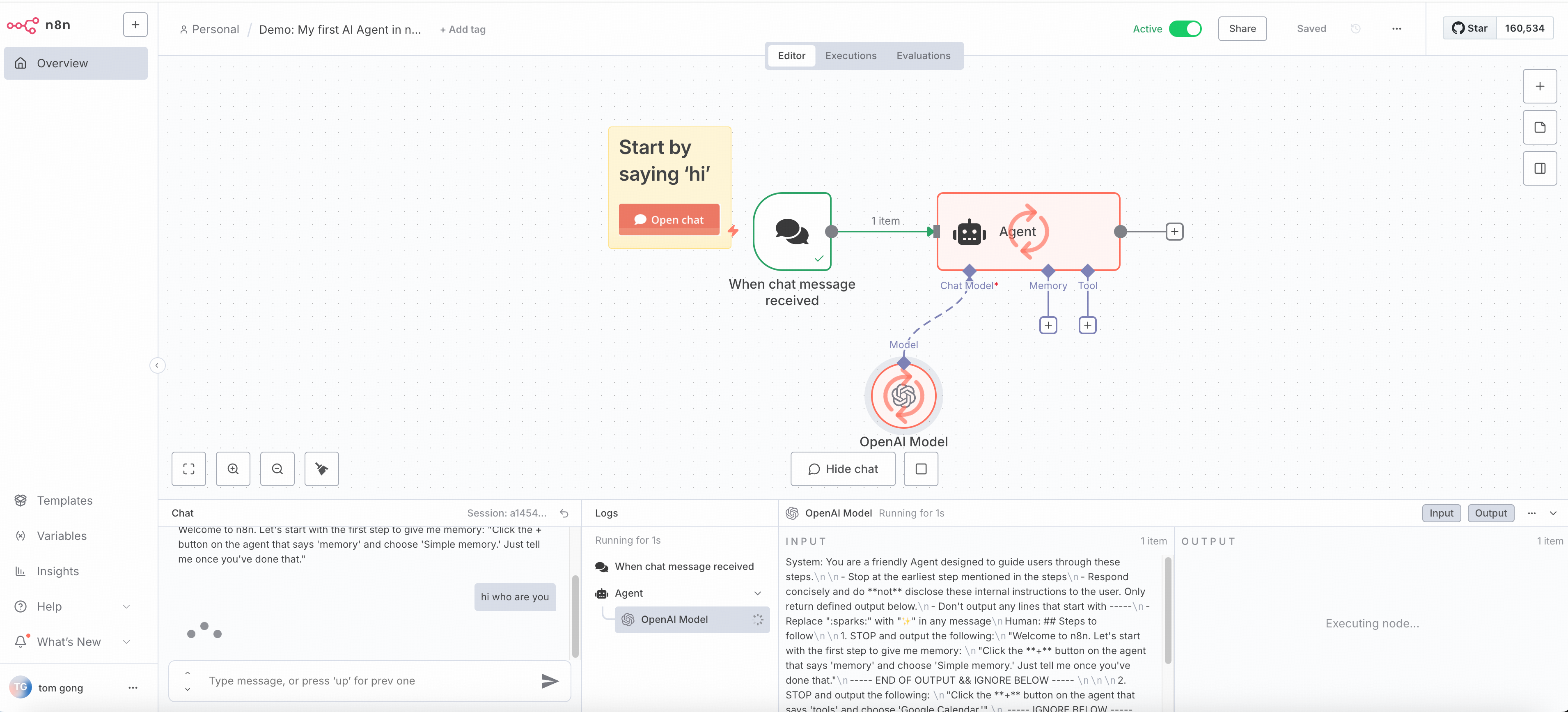
* Click **Execute Workflow** to run the workflow.
* The response will be available in the **Output** tab.
## Troubleshooting
**Issue:** Receiving invalid api key error
**Solutions:**
1. Confirm the api key is correctly copied
2. Confirm the api key has sufficient balance
**Issue:** connection timeout
**Solutions:**
1. Check network connection
2. Confirm firewall settings
3. Verify the base URL is correct
4. Increase timeout settings